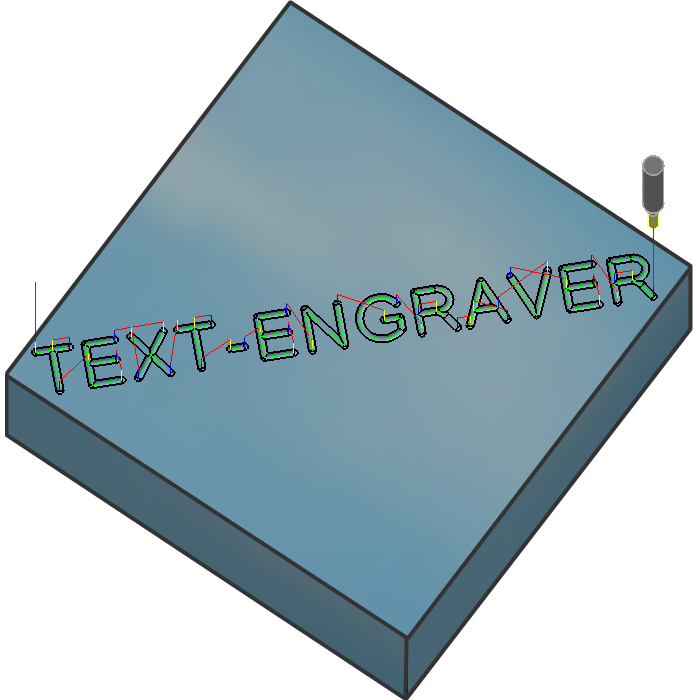
Background:
Currently there are only a few solutions available for text-engraving for V5. Most of them have a few drawbacks, which cause frustation among Catia users, when faced with the text-creation task.
Creating text using dxf import and catdrawing is really cumbersome and tedious. It offers no associativity. Any mistake... you have to start all over.
Also there are other third party apps available which offer very limited functionality. Some cost a lot up front and to maintain. None of them offer the capabilty of engraving toolpaths in Catia V5.
In order to take care of such problems, an NC-programmer teamed up with a Software-developer and they produced this solution which makes text-creation and engraving toolpaths fun inside Catia V5.
Text-Engraver allows users to create and manipulate the text seemlessly, even if the user is working in any workbench such as PartDesign, Assembly or Machining. As of today, this is a unique feature which is not found in other text-creating applications out there.
Keypoints:
Here is a small comparison using Text-Engraver VB App(TE) vs a Typical CAA App(TCA) for CatiaV5.
-
TCA has to be installed and maintained for every release of V5. Whereas TE can be used along side with your existing installation of V5. TE can work with the multiple releases as long as APIs are not changed/deprecated.
-
TCA has to be launched thru a separate V5 environment. This is not the case with TE.
-
TCA only works in Part Design workbench. NC-programmers have a bigger turf to cover ranging from Part Design, Assembly Design and not to mention Machining Workbenches as well. TE can cover all of it. You don't have to switch between workbenches.
-
Moreover TE takes care of all the required transformations especially if your design is buried into multiple levels deep in your assembly structure. This is another unique feature which cannot be found in other TCA application out there.
-
TE creates associativity all the way to the NC-toolpath. Again, it is not available in TCA.